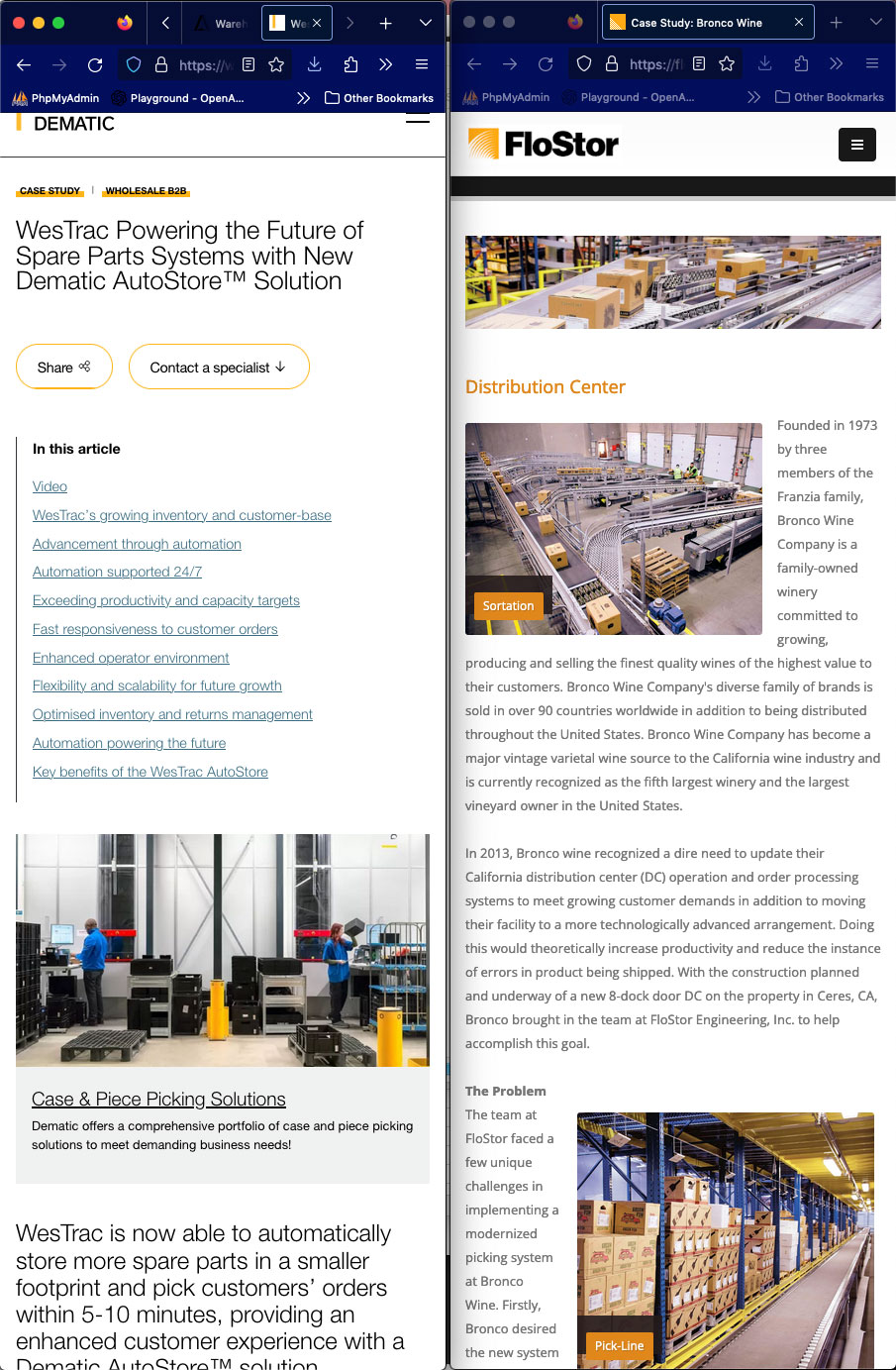
Case Study Comparison on Mobile
Note how the text wraps around the images. On desktop wrapping text around images is not optimal but you can get away with it. On mobile wrapping text around images looks less than optimal on mobile devices. To fix this I will need to rebuild all the case study pages.
When you scroll down the Dematic case study on the left notice how large the images are and how easy their images are to read whereas on the Flostor case study on the right the images are smaller, consequently they don’t read that well on mobile.
The small images that are currently on the Flostor case study pages are sized too small in comparison to the images on the Dematic case study where the images fill the full width of the browser which in my opinion is more compelling.
To fix the image widths requires rebuilding all the case studies.
Note how the larger font size on the Dematic case study is much easier to read than the font size on the Flostor case study.
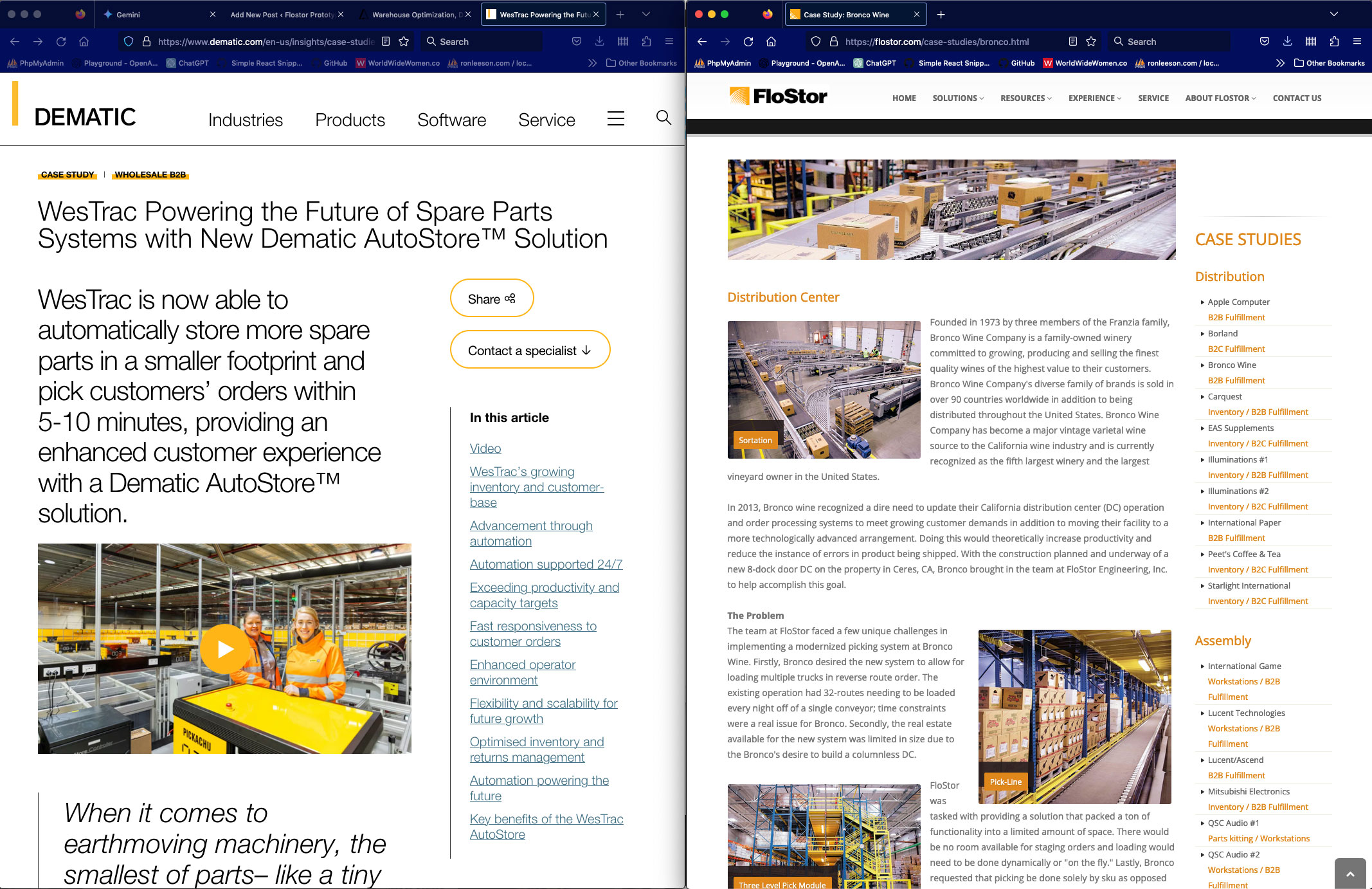
Case Study Comparison on Desktop
On desktop I’m thinking that the font size Dematic is using is a bit large, the font size could be brought down a little bit.
The font size on Flostor in my opinion is too small and harder to read even on desktop. I would suggest that we make the font size bigger.
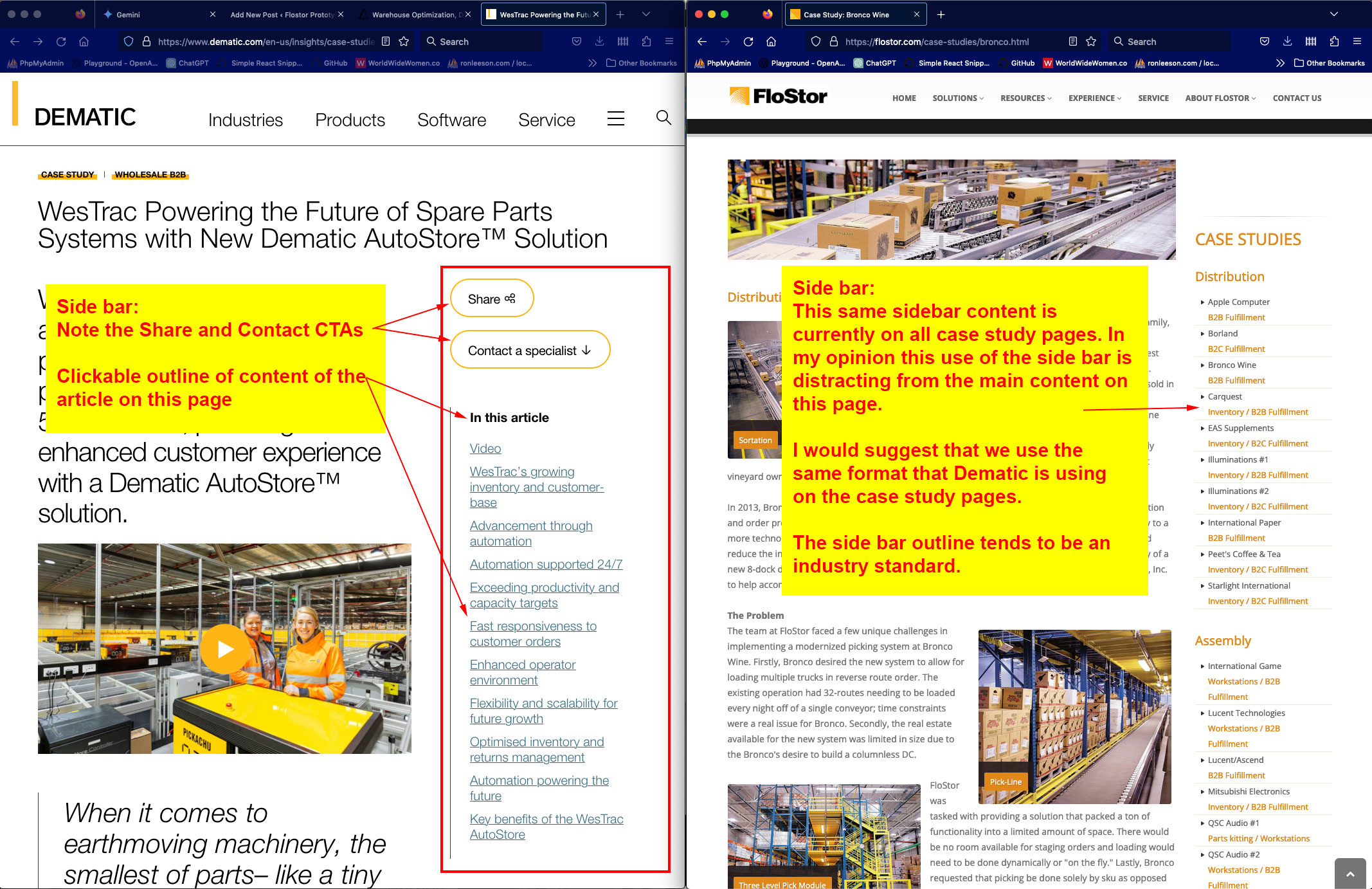
Comparison of Case Study Side Bars on Desktop
In the screen shot below notice how Dematic’s side bar has CTAs, (call to action from the user), and a clickable outline of the article’s different sections allowing the user to quickly get a gist of the scope of the article as well as allowing the user to jump around on the page by specific headers.
Flostor currently is using the side bar to display a list of all the case studies available on the site. In my opinion, since the side bar content does not directly relate to the specific content of the page the user is on, this use of the side bar is distracting. I would suggest that we adopt Dematic’s approach to the use of our case study side bars. Note that the use of a side bar content outline is a industry standard. You everywhere on the internet. Again, this would require rebuilding all the case study pages.
Rebuilding All the Case Study Pages?
The Flostor website is built with static HTML files. This means that in order to rebuild all the case studies pages is labor intensive.
If you decide to green light the rebuilding of all the case study pages there is a more modern way of doing this which is far more efficient and that is to rebuild the site using PHP which allows me to use templates and includes which would facilitate the rebuilding process significantly.
If we were to proceed with a rebuild using PHP I would suggest that we use WordPress which is built with PHP.